
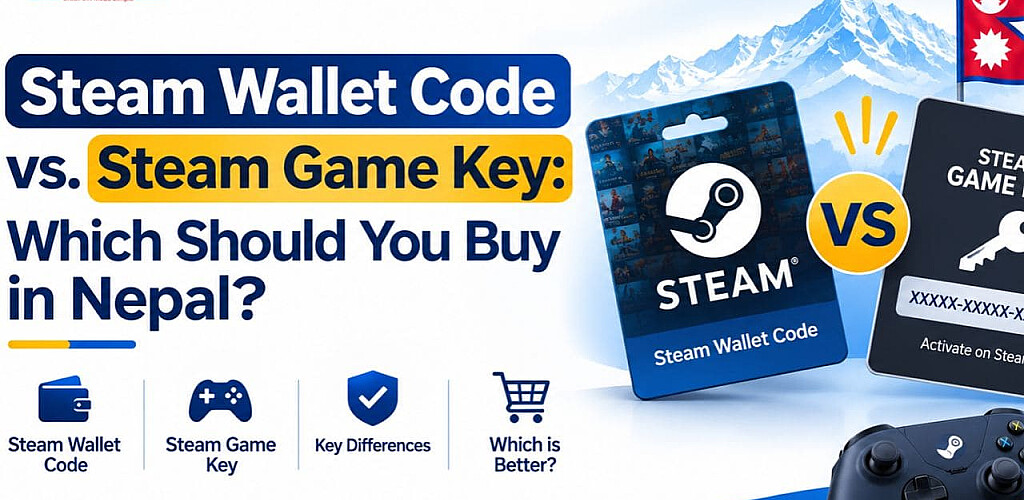
Steam Wallet Code vs. Game Key: Which Should You Buy in Nepal?
- Posted by: Sasto Gift Card
The distinction between choosing a game key and a Steam wallet code is straightforward. You can use a Steam Wallet Code to add funds to your wallet, which you can then use for software, games, DLC, and other qualified Steam purchases. One game or item in your Steam library can be activated with a Steam game key. For flexibility, select a wallet code. When you know exactly which game you want, select a game key. View our Steam Gift Card for purchase.
Quick Comparison: Wallet Code vs. Game Key
| Factor | Steam Wallet Code | Steam Game Key |
| What it adds | Steam Wallet balance | One specific game, DLC, or software product |
| What you can buy | Any eligible Steam Store item | Only the product linked to the key |
| Flexibility | High: choose what to buy later | Low: the product is fixed |
| Where you redeem it | Steam's Wallet Code redemption page | Steam client: Games > Activate a Product on Steam |
| Best for | Gifts and flexible buyers | Buyers who know the exact title |
| Region check | Steam account country and Wallet currency | Game region availability and restrictions |
| Common mistake | Treating it as a game key | Treating it as Wallet balance |
Steam's own support pages draw the same line: Wallet Codes add funds to an account, while keys activate a product.
What Is a Steam Wallet Code?
Prepaid credit is what a Steam Wallet Code is. The value is added to your Steam Wallet upon redemption. The remaining funds can then be used to purchase software, games, downloadable content (DLC), and other products from the Steam Store.
Key points:
- It is not tied to one game, so you decide what to buy after redeeming.
- It is redeemed on Steam's official Wallet Code redemption page.
- Steam converts the redeemed value to the currency of your Steam Wallet.
- It suits anyone who wants to top up Steam without picking a game yet.
If flexible credit is what you need, you can buy a Steam Wallet Code in Nepal directly from Sasto Gift Card.
What Is a Steam Game Key?
Product keys, CD keys, and activation keys are other names for Steam game keys. A single game, DLC, or software item can be added to your Steam account with this one-time ticket.
Key points:
- It does not add Wallet balance.
- It is linked to one product.
- You activate it in the Steam desktop client through Games > Activate a Product on Steam.
- It works best when you already know the exact title you want.
Steam Wallet Code vs. Game Key: Which Should You Buy in Nepal?
There is no single "best" option. The right choice depends on what you want to do.
Choose a Steam Wallet Code if:
- You want to buy a game later, perhaps during a Steam sale.
- You are gifting to someone and don't know their preferred game.
- You want funds for DLC, software, or in-game items.
- You prefer prepaid Steam credit over one fixed product.
Choose a Steam game key if:
- You already know the exact game you want.
- You found a legitimate offer for that specific title.
- You want the game added straight to your library.
- You don't need leftover Wallet balance.
Nepal-specific tip: Check the product's regional availability, the country of your Steam account, and whether the code works with your account before making a purchase. Verify your account settings first since Steam changes the value of your Wallet Code to your Wallet currency when you redeem it.
In Nepal, a large number of players lack an international dollar card. The steps involved in purchasing Steam and Google Play gift cards in Nepal without a dollar card are detailed in our guide.
Ready to top up? Buy a Steam Wallet Code in Nepal
How to Redeem a Steam Wallet Code
- Sign in to the Steam account where you want the balance added.
- Open Steam's official Redeem a Steam Gift Card or Wallet Code page.
- Enter the code exactly as provided.
- Select Continue.
- Confirm the new balance appears in your Steam Wallet.
Need screenshots? See our walkthrough on how to redeem a Steam Wallet Code in Nepal.
How to Redeem a Steam Game Key
- Open the Steam desktop client and sign in.
- Click Games in the top menu.
- Select Activate a Product on Steam.
- Follow the prompts and enter your key.
- Check your Steam Library for the newly activated game.
Common Mistakes to Avoid
- Buying the wrong product type. A Wallet Code is not a game key, and a game key is not Wallet credit.
- Ignoring region compatibility. Not every code works with every Steam account country.
- Redeeming on the wrong account. Balance and licenses stay with the account that redeems them.
- Buying from unverified sellers. Use a trusted store and keep your purchase confirmation.
- Confusing codes with account sales. A code is redeemed on your own account. You should never need to share your Steam password.
Because delivered digital codes frequently offer few refund alternatives, understand what to verify before purchasing a digital gift card before making any digital purchases.
Frequently Asked Questions
Q. What is the difference between a Steam Wallet Code and a game key?
Your Steam Wallet's spendable balance is increased with a Steam Wallet Code. One particular game, DLC, or piece of software in your Steam library can be activated using a game key.
Q. Can I use a Steam Wallet Code to buy any game?
Subject to Steam's policies and local availability, you can spend the remaining funds on qualified games, DLC, software, and other Steam Store products.
Q. Can a Steam game key add Wallet balance?
No. A game key activates a specific product only. It cannot be converted into Wallet credit.
Q. Which is better as a gift?
Since the recipient selects the game, a Steam Wallet Code is typically preferable. Only choose a game key if you are certain they desire that particular title.
Q. Can I redeem a Steam Wallet Code in Nepal?
Yes, if the code is compatible with your Steam account and region. Check your account country and Wallet currency before buying.
Q. Can I transfer Steam Wallet balance to another account?
Wallet balance is generally tied to the account that redeemed it. Don't buy a code if you plan to move the balance later.
Q. What if I redeemed the wrong type of code?
A game key adds a product, and a wallet code adds balance. Check Steam's refund and support rules if you activated the incorrect item. Don't presume you can swap it out.
Q. What should I do if my Steam code doesn't work?
Make sure you are on the correct account and redemption page, carefully reenter it, and verify regional compatibility. If it still doesn't work, send your order details to Sasto Gift Card support.
Final Verdict
When choosing between a Steam Wallet Code and a game key, consider this: do you already know the game you want? If so, a game key is straightforward. If not, or if you're purchasing a present, a wallet code offers you flexibility.
Get flexible Steam credit: Buy a Steam Wallet Code in Nepal
Still unsure? Contact Sasto Gift Card support and we'll help you choose.
Sources
- Steam Support: Steam Wallet Codes and Gift Cards
- Steam Support: Activating a product on Steam
- Redeem a Steam Gift Card or Wallet Code
Disclaimer: Only general information should be found in this page. Before purchasing or using a code, always check the most recent information on Steam's official support pages as the company's policies, redemption procedures, regional availability, currency handling, and refund policies are subject to change. Sasto Gift Card is not associated with, supported by, or sponsored by Valve Corporation; rather, it is an independent reseller. Valve Corporation is the owner of the trademarks for Steam and the Steam logo. Before making a purchase, make sure the digital codes are compatible with your Steam account because they are typically non-refundable once they are delivered or used. This is not legal or financial advice.



Comment